Overview
During installation, the Single-User Edition option may be unavailable:

Cause
The installation is being performed on a Windows Server operating system. Under the QQube Licensing Agreement, the QQube Single-User Edition cannot be installed on a server operating system.
Installation requirement
The QQube Single-User Edition can be installed only on a workstation or laptop.
Resolution
Choose the installation method that matches your environment:
- Workstation or laptop: Install the QQube Single-User Edition locally.
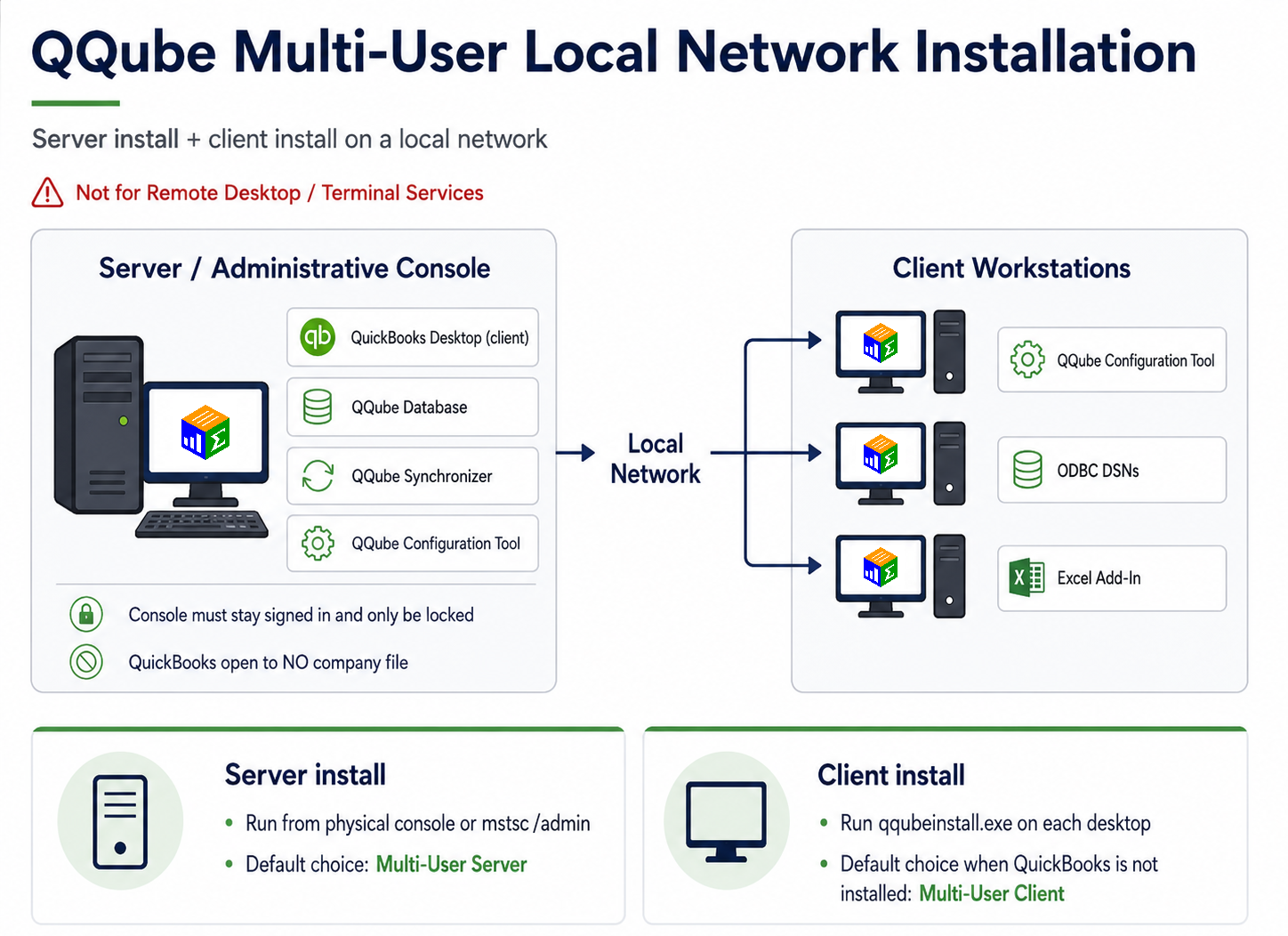
- Server, Remote Desktop, or hosted environment: Use the QQube Multi-User Edition.
Why Multi-User Is Necessary for Server Environments
The primary advantage of the QQube Multi-User Edition is isolation. QQube synchronization runs in its own dedicated Windows session instead of competing with a user's normal QuickBooks session.
- Unattended access: The dedicated server user keeps QuickBooks available to QQube so synchronization can run automatically at any time of day without someone logging in first.
- No nightly preparation: A Single-User installation on a server would require someone to log in and leave QuickBooks open with no company file selected before scheduled synchronization can run.
- QuickBooks remains usable: Other users can continue working in QuickBooks while QQube synchronizes in the dedicated server session. When QQube and QuickBooks share the same Windows user session, QuickBooks cannot be used during synchronization.
- SDK processing is isolated: The Intuit SDK can consume substantial CPU resources during synchronization. Running QQube in its own session prevents that workload from interfering as directly with a user's normal desktop work.
- Third-party integrations remain separate: Other applications that attach to QuickBooks cannot operate in the same Windows user session as QQube while QQube is synchronizing. A dedicated QQube session prevents those integrations from competing for the same QuickBooks session.
The dedicated server user exists for unattended QuickBooks access.
Its purpose is to give QQube a dedicated, always-available QuickBooks session that requires no daily intervention and remains isolated from interactive users and other QuickBooks-integrated applications.
Limited Exception
Single-practitioner hosted environment
A single practitioner or CPA using one copy of QuickBooks Accountant in a hosted environment may request an installation workaround by contacting admin@clearify.com.
The same Single-User synchronization constraints described above still apply.
Was this article helpful?
That’s Great!
Thank you for your feedback
Sorry! We couldn't be helpful
Thank you for your feedback
Feedback sent
We appreciate your effort and will try to fix the article